
Every section runs on its own — its own pairings, standings, and prizes — so each one gets its own workspace. From the tournament director home, pick a section in the sidebar and you land in it. This is the room you’ll live in while a round is on: post the pairings, enter results, watch the standings settle, and flip to exactly what your players see. Here’s the whole tour.
The Overview tab — your round, at a glance
Overview is home base. Across the top is a round strip — a chip per round, with a check on the ones that are done, the current round highlighted, and the rest waiting. Under it, the current round summary tells you how many results are in (“1 of 3 results in”) with Enter results right there, and below that every board: White and Black, each player’s seed and rating, the score, and the color-assignment note the pairing engine recorded.
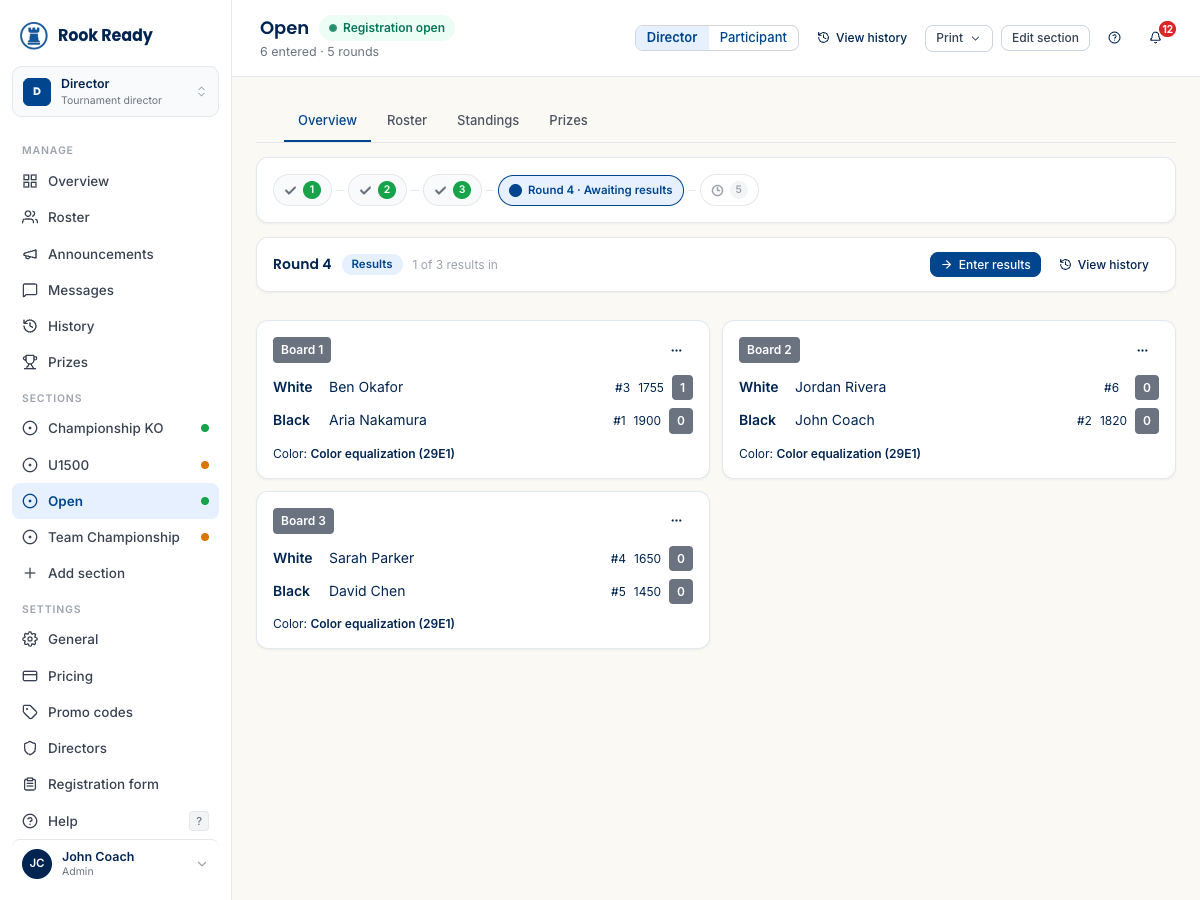
The board ⋯ menu is where the per-board actions live — reassign a bye, swap a pairing, or jump to a single result. When a whole round needs reshaping rather than one fix, that’s the Adjust Pairings flow.
Roster, Standings, Prizes — the other tabs
- Roster — everyone entered in this section, their rating and seed, check-in state, and byes. It’s where you add a late entry or withdraw a player.
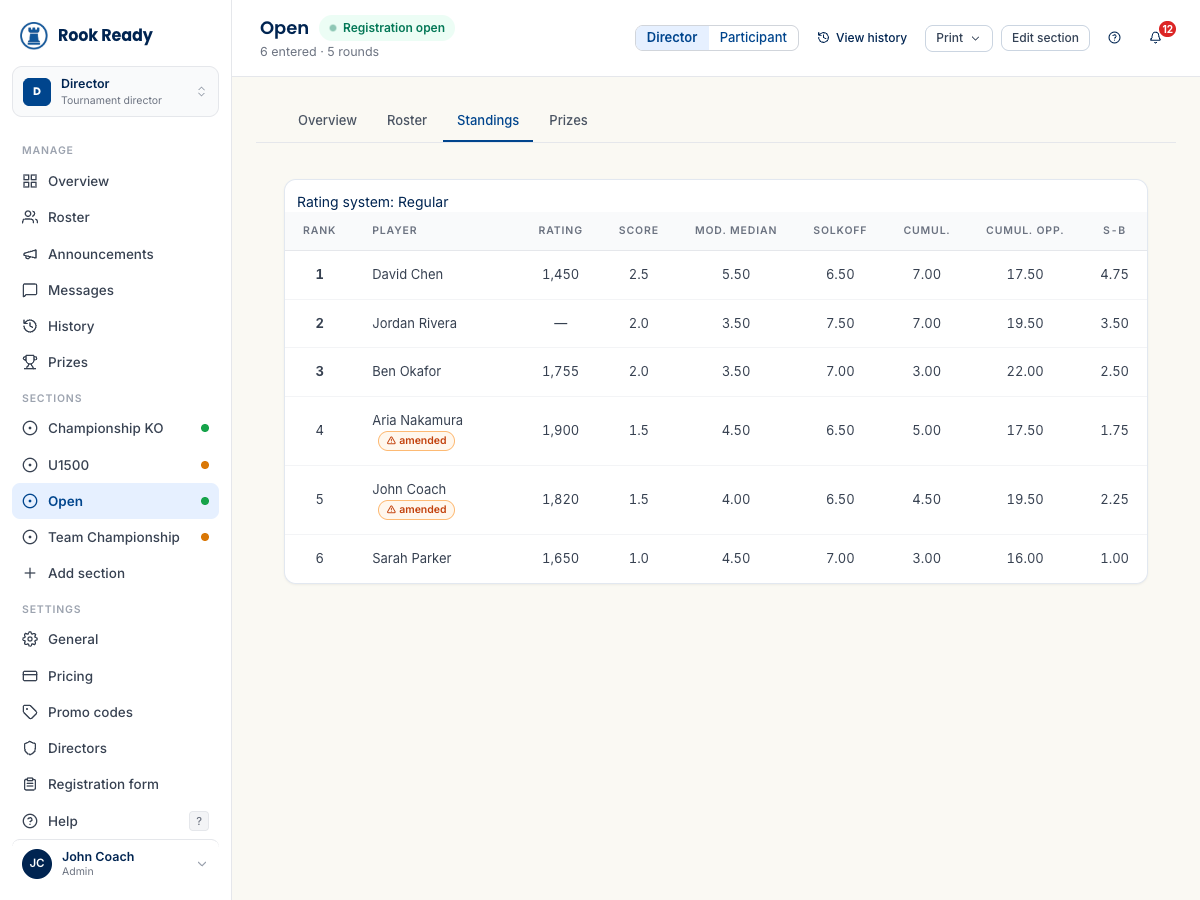
- Standings — the live order, recomputed as results land, with the rating system the section runs under named at the top (Regular, Quick, Blitz, or Dual) and the full USCF tie-break columns (Modified Median, Solkoff, Cumulative, Cumulative Opponent, Sonneborn-Berger). A player whose result was corrected carries an amended badge, so nothing changes quietly.
- Prizes — who’s in line for each prize as the section stands. The close-out guide covers settling them at the end.
See exactly what your players see
Every section header has a Director / Participant toggle. Flip to Participant and you’re looking at the public view of the section — the same thing a parent in the hall or a spectator at home sees, no login required. That’s where the player-facing tabs live:
- Standings and Pairings — the posted, public versions.
- Wallchart — the classic round-by-round grid: one row per player, each round’s opponent, color, result, and running score.
- Cross-table — the head-to-head grid, so you (or a curious parent) can find any two players and see how their game went.
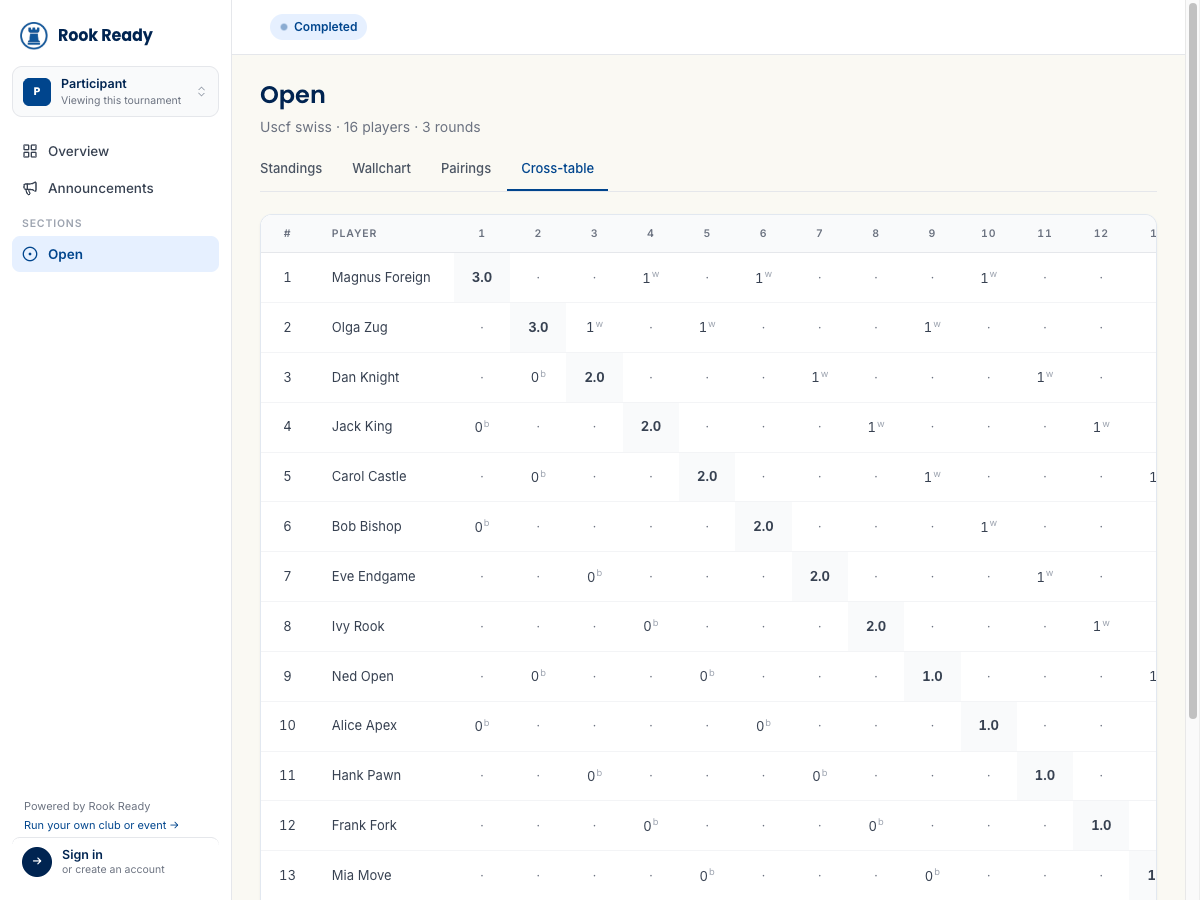
Every one of these views has a search / find-my-pairing box (type a name to jump straight to a player’s board — handy when a parent asks where their kid is sitting), a Columns control to show or hide fields, and its own Print and Export CSV buttons when you want a paper copy for the wall or a file for your records.
History and messages
Two more tabs round out the workspace:
- History — the section’s audit timeline: pairings posted, results entered and amended, byes assigned — with before-and-after detail on every change. The running-a-tournament guide shows how that record backs you up in a dispute.
- Messages and Announcements — reach the section’s entrants directly, or post a section-wide notice (“Round 4 pairings are up”).
What’s next
- Run your event, round by round — pairing, scoring, and handling the curveballs.
- Adjust a round’s pairings — when a whole round needs reshaping, not just one result.
- What your players see — the same standings, wallchart, and cross-table, from their side.
Questions? The FAQ and support@rookready.com are here for you.
Updated July 13, 2026