
The pairing engine gets a round right the vast majority of the time. But every director hits the round that needs a human touch — a player shows up late, two siblings landed on the same board, someone needs a bye you didn’t plan for. Adjust Pairings is the tool for reshaping a round before you publish it, with a review step that records exactly what you changed and why.
Adjust a pairing vs. fix a result
Two different tools, and picking the right one saves confusion:
- A result was entered wrong — you typed a win as a loss, or the wrong player as White. That’s a single result correction, and it lives in the running-a-tournament flow (open the board, fix the score).
- The pairing itself is wrong for this round — the wrong two players are facing each other, or a bye needs to move. That’s Adjust Pairings, covered here. You’re changing who plays whom, not what happened.
Two ways in
On a round’s pairings page you’ll see a hint: “drag a board onto another to swap players.” For a quick one-off swap, that’s the whole story — drag and drop, done. When you need to do more than a single swap, hit Adjust pairings to open the full editor.
The editor — drag, swap, assign byes
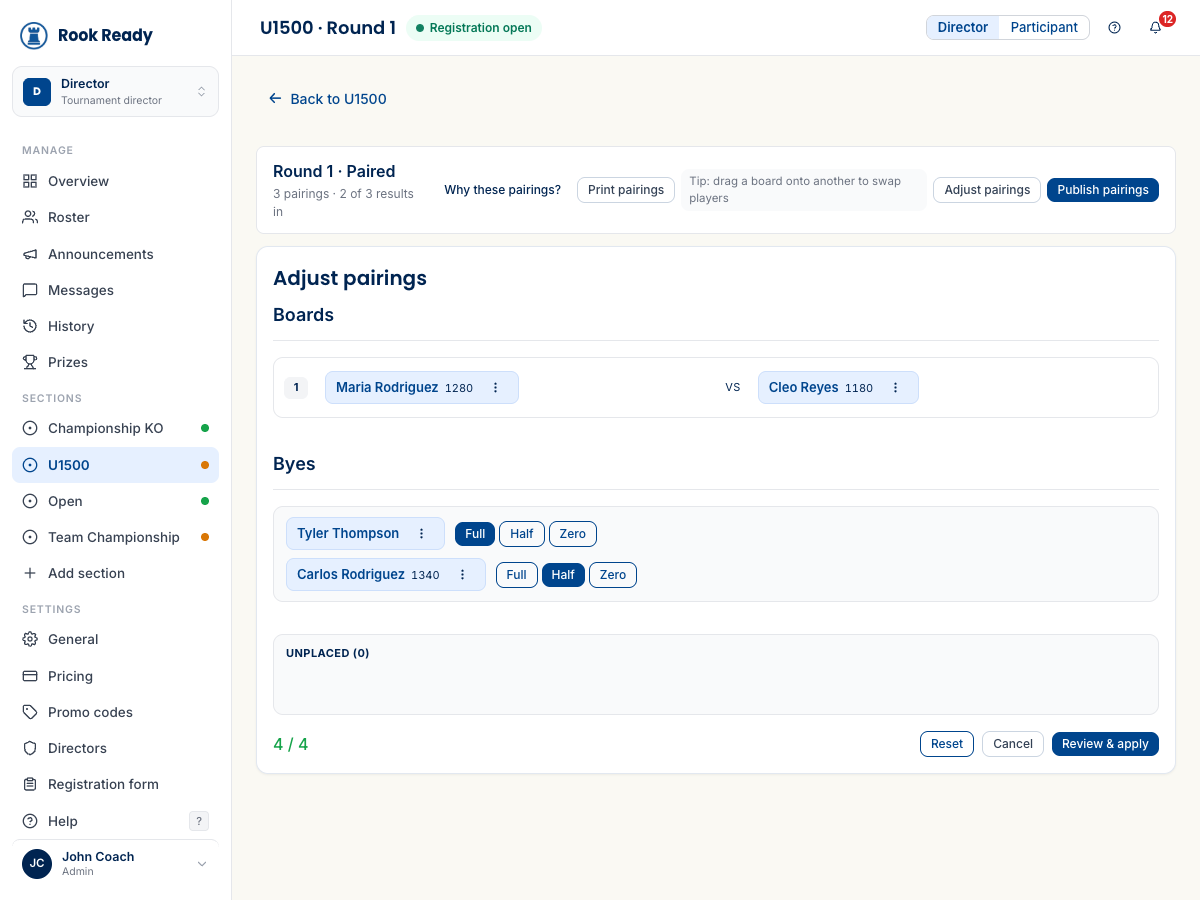
Adjust Pairings opens an edit surface with every board laid out and each player a draggable chip. From here you can:
- Swap players — drag a chip from one board onto another to trade them, or use a chip’s ⋯ menu for a precise swap.
- Assign a bye — the Byes area lists anyone not on a board, each with a Full / Half / Zero toggle. Move a player out of a pairing and into a bye, or pull them back in.
- Track placement — a running counter (e.g. 4 / 4) confirms every player is accounted for; an Unplaced bucket catches anyone you’ve lifted off a board but not yet re-seated, so you can’t accidentally drop a player from the round.
Reset puts everything back to the engine’s original pairing, and Cancel walks away without touching a thing.
Review before you apply — and say why
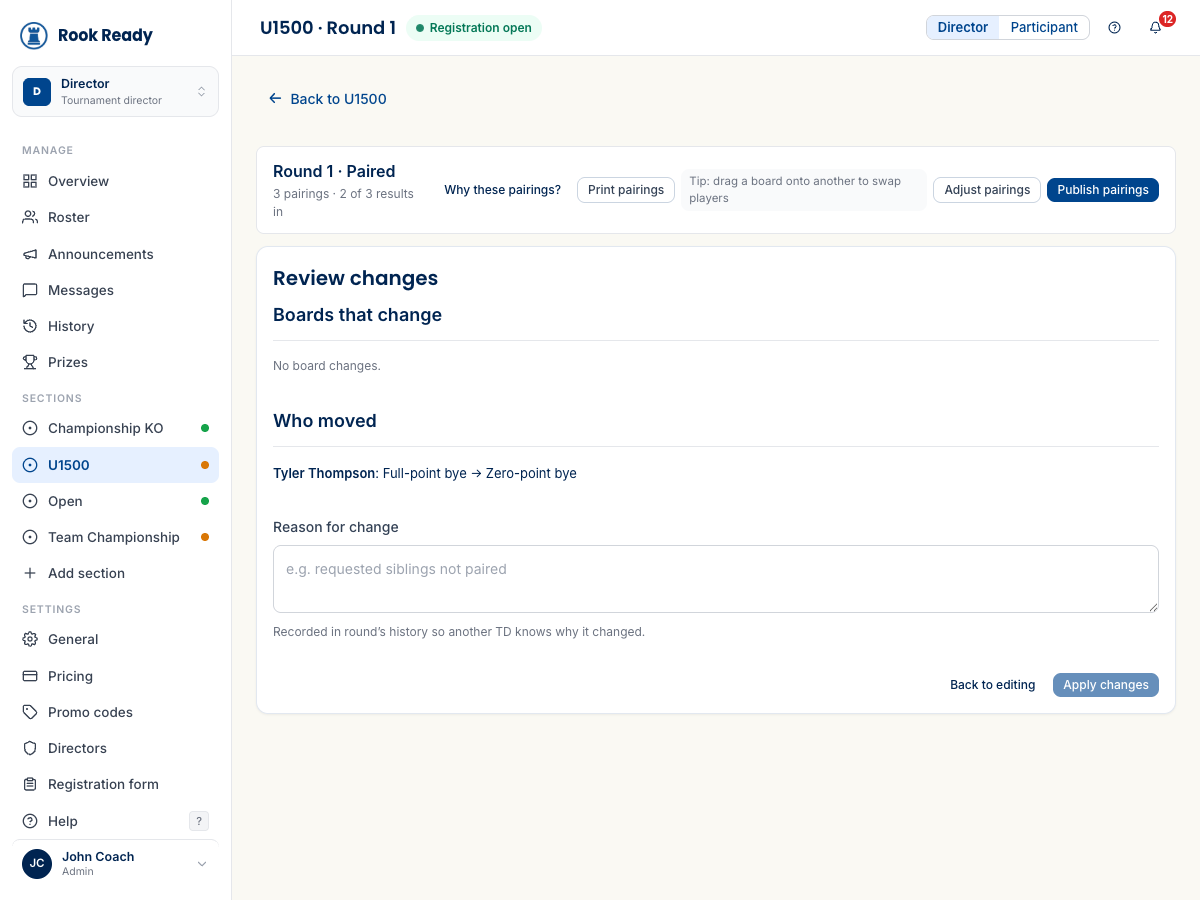
Nothing changes until you’ve looked at a summary. Review & apply shows a plain before-and-after:
- Boards that change — which pairings are different from the engine’s version.
- Who moved — each player whose board or bye changed, written out (“Tyler Thompson: Full-point bye → Zero-point bye”).
- Reason for change — an optional note (“requested siblings not paired”) that gets recorded in the round’s history, so another director — or you, three rounds later — knows why it happened.
From here, Back to editing if something looks off, or Apply changes to commit. Only then does the round update.
What’s next
- Run your event, round by round — pairing, publishing, and fixing a single wrong result.
- Work the section workspace — the boards, standings, and history this all flows through.
Questions? The FAQ and support@rookready.com are here for you.
Updated July 13, 2026