

Once an event is running, you don’t have to crowd the wall chart or flag down the director. Pairings and standings are live and public — open them on your phone in the hall, or from your couch if you’re following along from home.
A section’s page has tabs across the top — Standings, Pairings, Wallchart, and (for smaller sections) a Cross-table — plus a find-my-pairing search so you can jump straight to a player’s board without scanning the whole list. Each view has its own print/export button when you want a paper copy for the wall.
Find the pairings
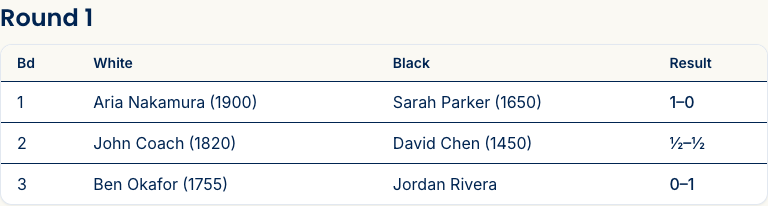
Each round, once the director posts it, shows every board: the board number, both players, and their colors. Players spot their board at a glance; parents can see exactly where their kid is sitting — or use find my pairing and just type a name.
Watch the standings
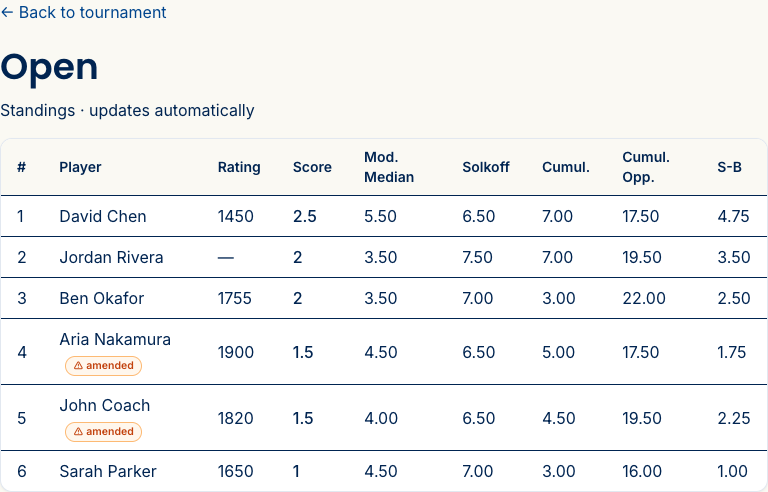
As results come in, the standings update on their own — no refresh, no waiting on the director. You get the full set of USCF tie-breaks (Modified Median, Solkoff, Cumulative, Cumulative Opponent, Sonneborn-Berger) computed automatically, so the order you see is the real order.
Watching a multi-section event with a tournament-wide prize? There’s a public overall standings page that merges every section into one list, so you can see the overall leader across the whole tournament, not just within a section.
Following a knockout? Watch the bracket
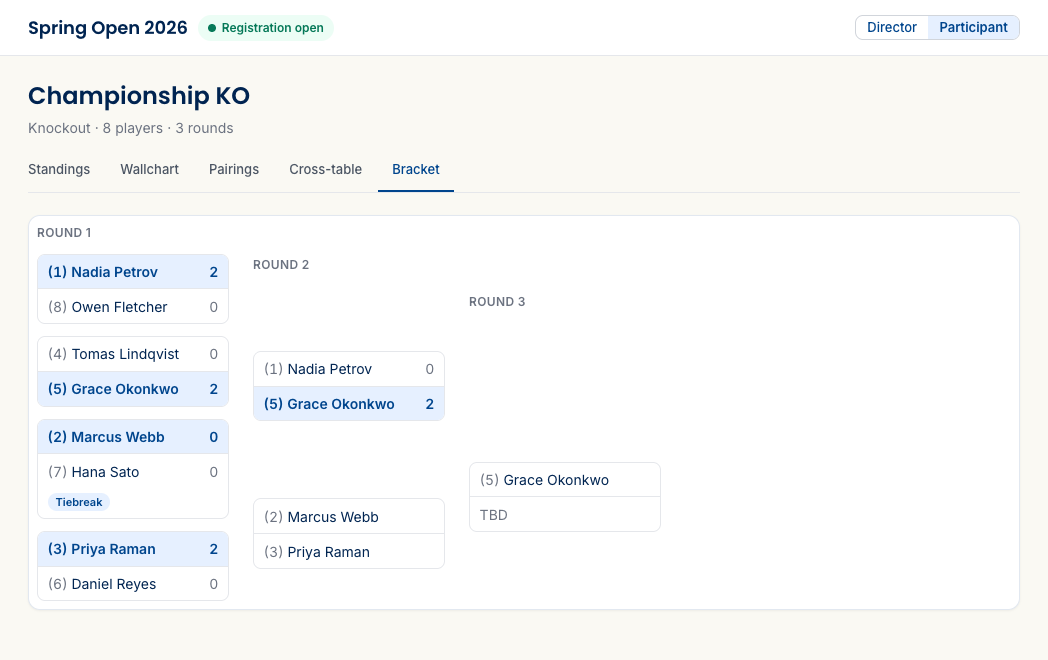
If the section you’re following is a knockout, there’s no running standings table — the whole thing lives on a Bracket tab. It shows each round as a column, the seed and score for every matchup, who’s advanced (highlighted), any byes, and a badge when a match went to tiebreak games. When the final is in, the champion is right there at the end.
The wallchart and cross-table
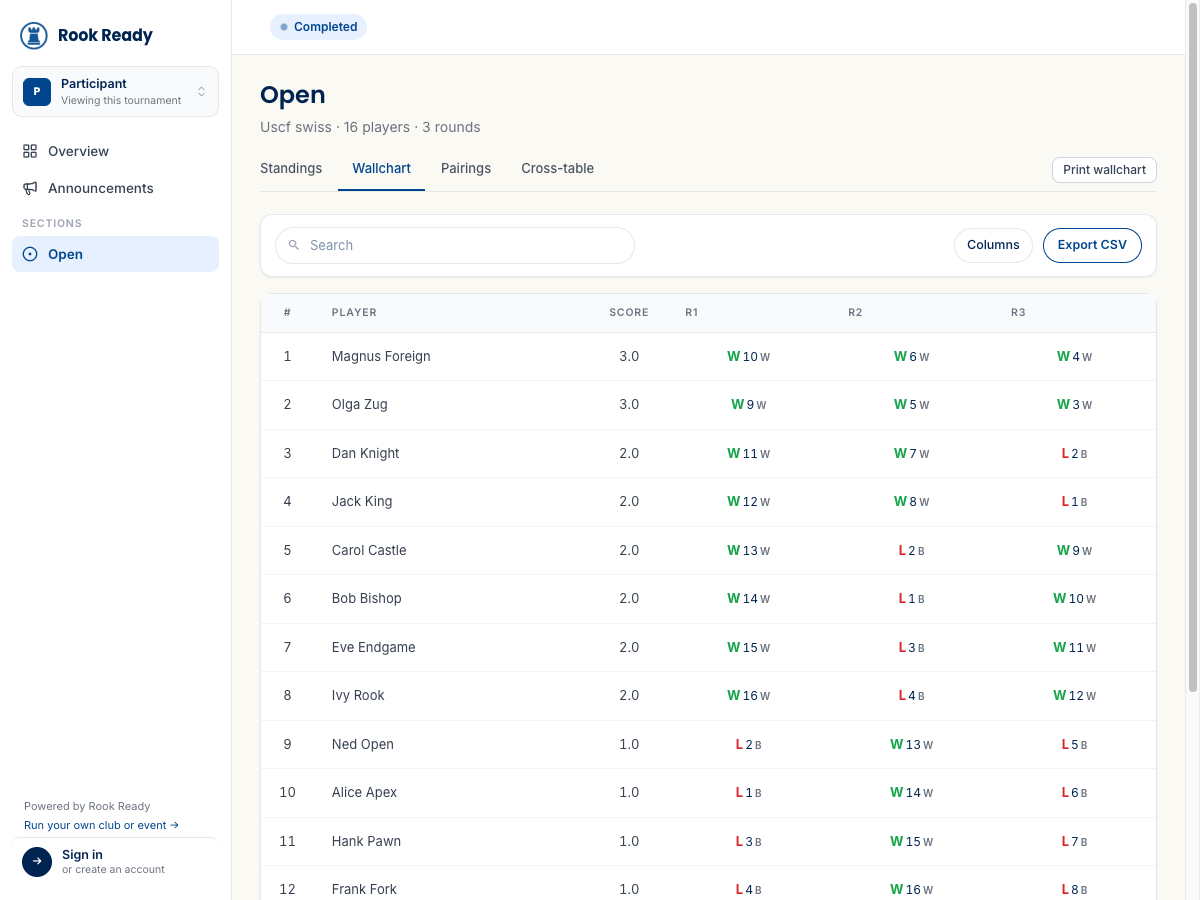
Two more ways to follow a section. The Wallchart is the classic round-by-round grid — each player’s row shows their result and running score every round, the way it’d hang on the tournament wall. The Cross-table (on smaller sections) is the head-to-head grid: find any two players and see how their game went. Both are public, both print.
Your own games
If you entered (or you’re managing a child’s entry), your entry page is the quickest view: it shows your games as the rounds post, and links straight to your section’s standings. Before round 1 it simply says your games will appear once the first round is posted — that’s expected, not an error.
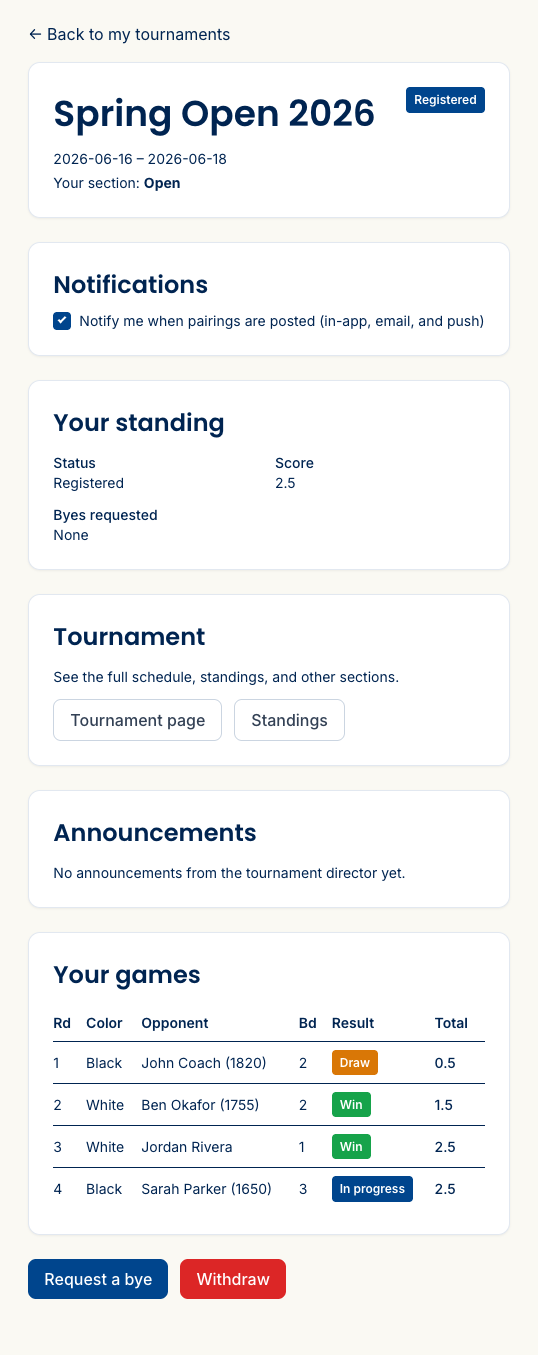
On your phone
It all reads on a phone, so checking your next-round board or your kid’s score from the hall takes a few taps — no laptop required. Everything here is public: there’s a “back to tournament” link and nothing to log into.
What’s next
- Enter a tournament — if you haven’t signed up yet.
- For directors: run your event — how the pairings and standings you’re watching get posted.
Questions? The FAQ has answers, and support@rookready.com is open.
Updated July 13, 2026